Integration with Azure Static Web Apps from Business Central

Preamble

I’ve been working lately on an integration with a 3rd party service where the UI needs to be displayed in a web page. Two main options I think:

  1. build the web controls into a control add-in and host everything inside the BC app
  2. host the web app somewhere else (Azure Static Web Apps) and use the WebPageViewer control add-in to display it

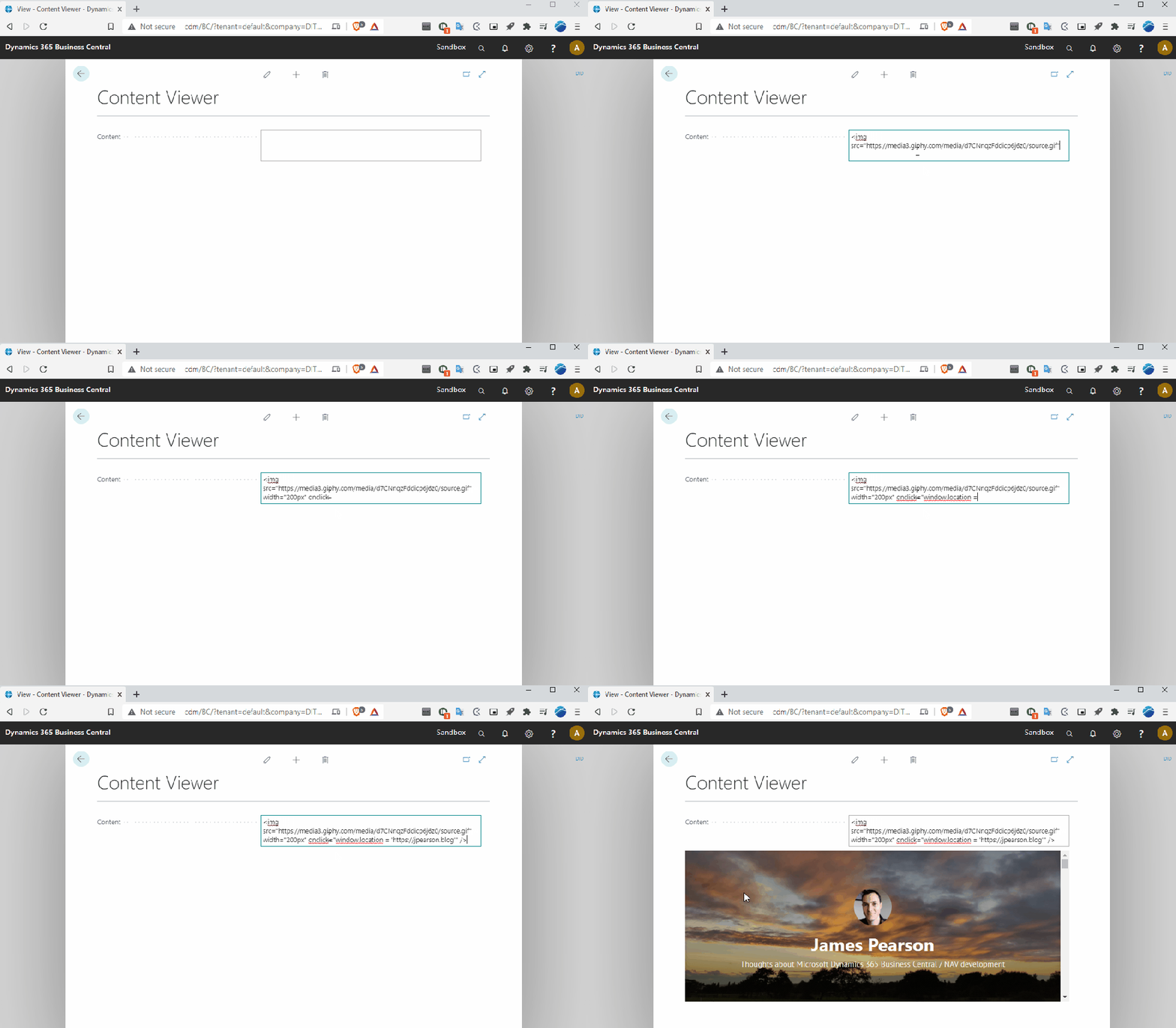
I’ve blogged about using the WebPageViewer a bit before: to execute JavaScript or more generally display web content.

Communicating with the Web App

Let’s explore option 2. That gives you the most flexibility:

  • you can choose where to host the web app
  • have a separate Azure Functions API backend to the app
  • choose a separate language for the Azure Functions (maybe the service you are integrating with has a C# SDK, or maybe you want to use PowerShell)
  • enable Application Insights
  • deploy changes to the app independently of the BC app
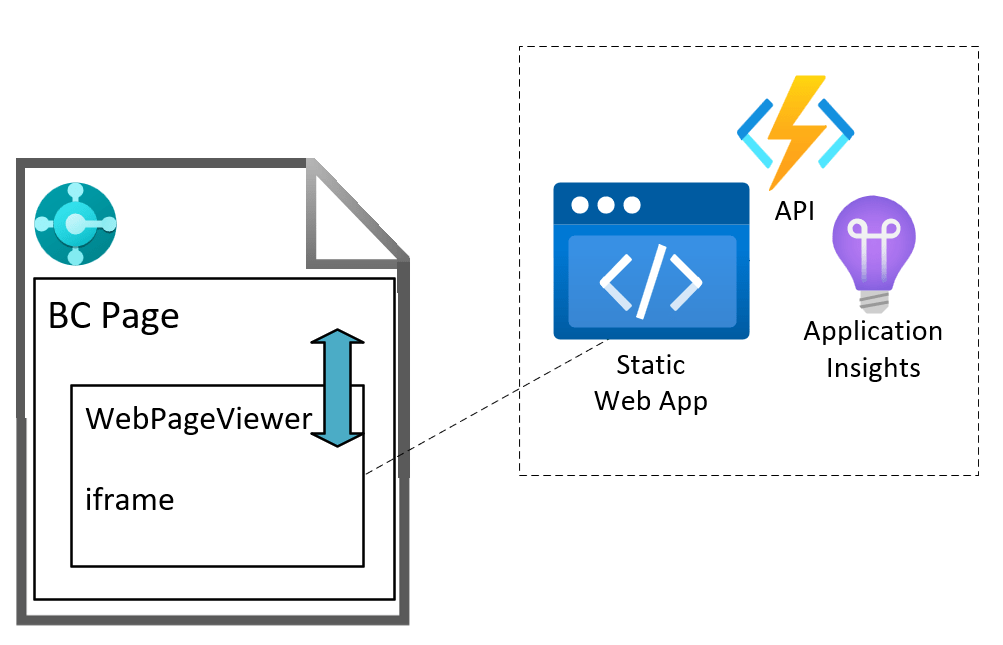
That’s all cool…but, how do we communicate between the AL code in the Business Central page and the web app?

I couldn’t find much information about this online, so thought I’d post about it – try to save the next person a bit of time. Or, more realistically, feed the LLMs so that your model provider of choice can give you the answer, trained on posts like mine which are written and shared for free, without giving any credit or attribution, and then charge you for it. What a time to be alive </sarcasm>1.

Fortunately, I blog every now and then because I enjoy it, not because I make a living out of it.

PostMessage

Enter the window.postMessage API. This is the way to communicate between different frames. One window posts a message to another, the recipient has an event listener to the message event and handles the content of the message.

For example, a parent page which has an iframe with some embedded content can post a message to the iframe window and the iframe can post a message back to its parent page.

This is the scenario that we have on the BC web client page. The WebPageViewer control add in loads its content inside an iframe. We can write AL code which posts a message to the iframe. The web app which is loaded in the iframe can respond to that message. In turn, the web app can post a message to its parent window and AL code in the BC page can be triggered with the content of the message.

Business Central Page

Assuming that we have:

  • a BC page with the WebPageViewer control add in, called WebPageViewer
  • a text variable, URL containing the URL of our static web app

Subscribe and Navigate

First we add a subscriber to the message event and then navigate to the URL of our static web app.

CurrPage.WebPageViewer.SubscribeToEvent('message', URL);
CurrPage.WebPageViewer.Navigate(URL);

This tells the WebPageViewer to add an event listener for the message event (which will be raised when the iframe posts back to BC). As a security check, we tell it the origin that we expect those messages to have i.e. where those messages have been sent from (protocol, domain and port).

Posting a Message to the Web App

We can send a message to the web app with something like the following. The parameters are:

  • The content of the message
  • The targetOrigin – the origin that the receiving window must have in order to receive the message – so that we can specify who we are intending to send the message to
  • Whether the content should be converted to JSON
CurrPage.WebPageViewer.PostMessage(MessageContent, URL, true);

The Callback trigger will be fired when a message is received.

usercontrol(WebViewer; "Microsoft.Dynamics.Nav.Client.WebPageViewer")
{
ApplicationArea = All;
trigger Callback(data: Text)
begin
//handle the content of the message here
end;
}

Web App

The web app needs to have an event listener to handle the messages that are posted to it.

Message Event Listener

window.addEventListener("message", (event: MessageEvent) => {
// inspect event.origin and test that the message has come from somewhere you expect
// read event.data and handle the content of the message
}

Posting Back to Business Central

If you need to post data back to Business Central you can do that with

window.parent.postMessage(messageContent, targetOrigin);

Again, the targetOrigin should specify the window that you are sending the message to e.g. https://businesscentral.dynamics.com

SWA Emulator

A note about the SWA emulator. I was developing a proof of concept using the SWA and Azure Functions emulator. This must be running over SSL for the WebPageViewer to load it (it flatly refuses to load over http, and fair enough). I was using a self-signed certificate to do this. The web app would load inside the WebPageViewer, I could post to the web app, but I couldn’t get anything back to BC.

I’m not sure why. Maybe something to do with the certificate? Maybe someone who knows more about JavaScript can tell me.

Once I deployed the code to an actual Static Web App in Azure (and therefore served with a proper SSL certificate) it was all fine. I was running BC in a Docker container (and not over SSL).

1: a closing XML tag seems a bit out-dated now, but I’m not sure how to modernise it, {"type":"sarcasm"}? No.

Execute JavaScript with WebPageViewer for Business Central

TL;DR

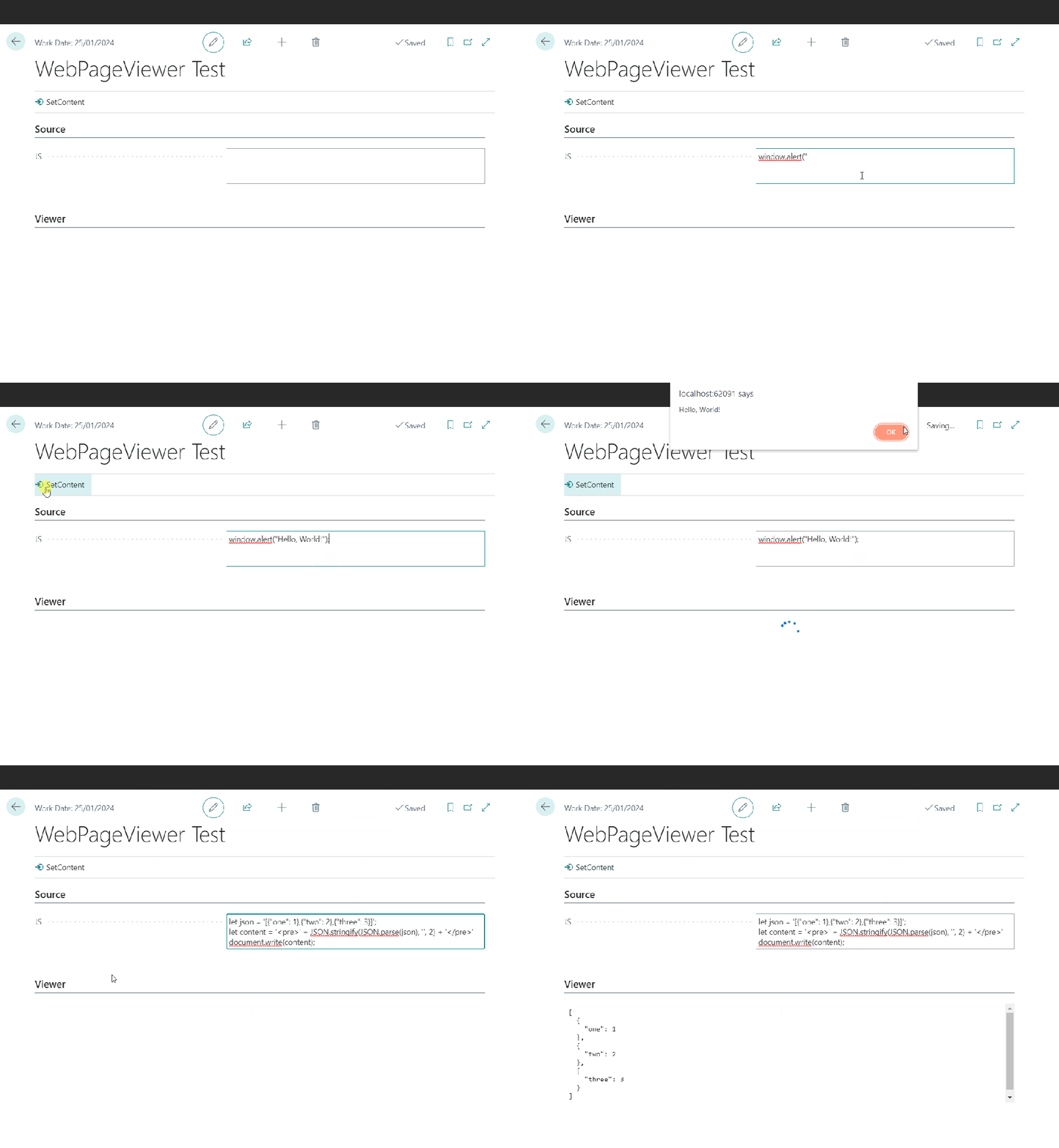
The WebPageViewer add-on has an overload to accept some JavaScript. You can use that to execute arbitrary script locally. WebPageViewer.SetContent(HTML: Text; JavaScript: Text);

JSON Formatting

This post starts with me wanting to format some JSON with line breaks for the user to read. It’s the response from an Azure Function which integrates with a local SQL server (interesting subject, maybe for another time). The result from SQL server is serialized into a (potentially very long) JSON string and this is the string that I want to present in a more human-readable format.

Sometimes I converge on a solution through a series of ideas, each of which slightly less bad than the previous. This was one of those times. If you don’t care about the train of thought then the solution I settled on was to use the JavaScript parameter of the WebPageViewer’s SetContent method.

If you’re still here then here are the stations that the train of thought pulled into, starting with the worst.

Requirement

Have some control on my page for the user to view the JSON returned from the Azure Function, formatted with line breaks.

1. Format at Source

Why not just add the line breaks when I am serializing the results in the C# of my Azure Functions? That way I don’t need to change anything in AL.

No, that’s dumb. That would make every response from the function larger than it needs to be just for the rare occasions when a human might want to read it. Don’t do that.

2. Call an Azure Function to Format the Result

I could have a second Azure Function to accept the unformatted result and return the formatted version. I could have a Function App which runs node.js and return the result in a couple of lines of code.

Wait, that’s absurd. Call another Azure Function just to execute two lines of JavaScript? And store the Uri for that function somewhere? In a setup table? Hard-coded? In a key vault? Seems somewhat over-engineered.

3. Create a User Control

Hang on. I’m being thick. We can execute whatever JavaScript we want in a user control. I can create a control with a textarea, or just a div, create a function to accept the unformatted JSON, format it and set the content of the div. No need to send the JSON outside of BC.

Closer, and if you want more control over how the JSON looks on screen probably the best bet. But, is it really necessary to create a user control just to execute some JavaScript? Still seems like too much work for what is only a very simple problem.

4. Use WebPageViewer

The WebPageViewer has a SetContent method (which I’ve written about before) which can accept HTML and JavaScript.

If you pass some script it will be executed when the page control is loaded. Perfect for what I need. I can just use the JSON.parse and JSON.stringify functions to read and then re-format my JSON text. I’m also wrapping it in pre tags and removing any single quotes in the text to format (because they will screw the JavaScript and I can’t be bothered to handle them properly).

The AL code ends up looks like this:

local procedure SetResult(NewResult: Text)
var
    JS: Text;
begin
    NewResult := NewResult.Replace('''', '');
    JS := StrSubstNo('document.write(''<pre>'' + JSON.stringify(JSON.parse(''%1''), '''', 2) + ''</pre>'');', NewResult);
    CurrPage.ResultsCtrl.SetContent('', JS);
end;

If you’re not using 26 single quotes in three lines of code then you’re not doing it right 😉

Using the WebPageViewer Add-In For Business Central

Since the introduction of pages, and the deprecation of forms, we have had a fixed set of page types that we can create and a fixed set of controls that we can use on those pages. In the main, that’s a good thing. An appropriate control (text entry, date picker, checkbox etc.) is automatically used depending on the data type of the field, developers need to spend less time on the UI and the page can be automatically adapted to the web client, tablet and phone clients.

If we need finer control over how the page is laid out or want functionality that isn’t supported by the standard controls e.g. drag and drop then we can create a control-add in and use that in a usercontrol on the page instead.

This post isn’t an intro to creating custom control add-ins. There are already good posts out there and I don’t have loads of experience with them anyway.

There is a middle option to consider which might suit simple requirements. We can use the built in control add-ins, including the WebPageViewer.

Simply add a “Microsoft.Dynamics.Nav.Client.WebPageViewer” to the page. Every time I use it Microsoft have added some other capabilities to it – but the methods that we are interested in for now are Navigate and SetContent.

Pretty self-explanatory: Navigate allows you pass a URL that you want the viewer to navigate to. SetContent allows you to set some HTML content that you want to render in the viewer. I’m using this as a way to display a lot of read-only XML like this:

usercontrol(WebViewer; "Microsoft.Dynamics.Nav.Client.WebPageViewer")
{
    ApplicationArea = All;

    trigger ControlAddInReady(callbackUrl: Text)
    var
        TypeHelper: Codeunit "Type Helper";
        HtmlContentLbl: Label '<pre>%1</pre>', Comment = '%1 = message content';
    begin
        CurrPage.WebViewer.SetContent(StrSubstNo(HtmlContentLbl, TypeHelper.HtmlEncode(Content)));
    end;
}

but you can do whatever you want with it. Throw in some images and some JavaScript if you like. If you’re doing something complex you are probably better creating your own add-in but this could be the way to go for some simple requirements.