Tip: Editing RapidStart Configuration Package Files

TL;DR

  1. Extract the package with 7-Zip
  2. Open the extracted file in a VS Code / Notepad++ / text-editor-of-choice
  3. Edit the xml as required
  4. Use 7-Zip to compress in gzip format

Editing Config Packages

Sometimes you might want to edit a config package file without having to import and export a modified copy from BC. In my case I wanted to remove the Social Listening Setup table from the package. Microsoft have made this table obsolete and BC throws an error if I try to import the package with this table present. (Probably not a bad idea – stopping listening to socials).

Fortunately, a rapidstart file is just a compressed xml file. Extract the rapidstart file with 7-Zip and then open the extracted file in a text editor. The format of the file is pretty straight forward. Each table is represented with an XYZList node where XYZ is the name of the table which the table-level settings followed by one or more XYZ nodes with the data.

Here are two records for the Payment Terms table.

<PaymentTermsList>
  <TableID>3</TableID>
  <PageID>4</PageID>
  <SkipTableTriggers>1</SkipTableTriggers>
  <PaymentTerms>
    <Code PrimaryKey="1" ProcessingOrder="1">10 DAYS</Code>
    <DueDateCalculation ProcessingOrder="2">&lt;10D&gt;</DueDateCalculation>
    <DiscountDateCalculation ProcessingOrder="3">
    </DiscountDateCalculation>
    <Discount ProcessingOrder="4">0</Discount>
    <Description ProcessingOrder="5">Net 10 days</Description>
    <CalcPmtDisconCrMemos ProcessingOrder="6">0</CalcPmtDisconCrMemos>
    <LastModifiedDateTime ProcessingOrder="7">
    </LastModifiedDateTime>
    <Id ProcessingOrder="8">{6BD87497-B233-EB11-8E89-E8FD151D8C93}</Id>
  </PaymentTerms>
  <PaymentTerms>
    <Code>14 DAYS</Code>
    <DueDateCalculation>&lt;14D&gt;</DueDateCalculation>
    <DiscountDateCalculation>
    </DiscountDateCalculation>
    <Discount>0</Discount>
    <Description>Net 14 days</Description>
    <CalcPmtDisconCrMemos>0</CalcPmtDisconCrMemos>
    <LastModifiedDateTime>
    </LastModifiedDateTime>
    <Id>{6DD87497-B233-EB11-8E89-E8FD151D8C93}</Id>
  </PaymentTerms>
</PaymentTermsList>

All I need to do is find the offending Social Listening Setup node in my file and remove it. Here it is:
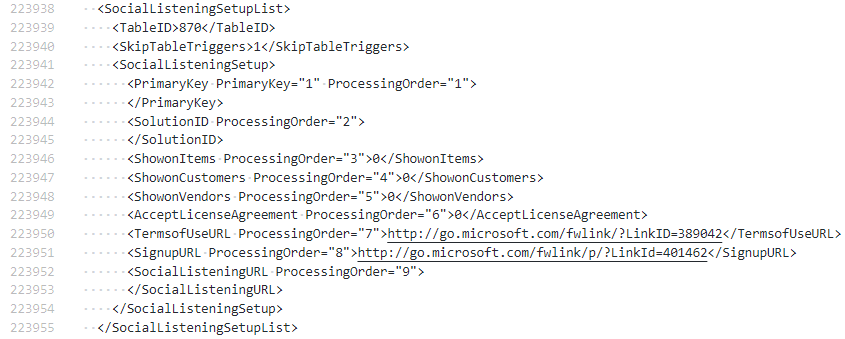
SocialListeningSetupList node

Once you are finished editing you can use 7-Zip to compress the file again with the gzip method and import.

Add to Archive with 7-Zip

Tip: Test for Tables Missing from Permission Sets

In PowerShell:

$tablesInPermissionSets = @()

$permissionSets = gci . -Recurse -Filter '*.al' | ? {(gc $_.FullName).Item(0).startsWith('permissionset')}
 $permissionSets | % {
    $content = gc $_.FullName -Raw
    [Regex]::Matches($content, '(?<=tabledata ).*(?= =)') | % {
        $tablesInPermissionSets += $_.Value
    }
 }

$tablesInTables = @()

$tables = gci . -Recurse -Filter '*.al' | Where-Object {(Get-Content $_.FullName).Item(0).StartsWith('table ')}
 $tables | % {
    $content = gc $_.FullName -Raw
    [Regex]::Matches($content, "(?<=table \d+ ).*(?=$([Environment]::NewLine))") | % {
        $tablesInTables += $_.Value
    }
 }

$missingTables = ""

Compare-Object $tablesInTables $tablesInPermissionSets | ? SideIndicator -eq '<=' | % {
    $missingTables += $_.InputObject + [Environment]::NewLine
}

if ('' -ne $missingTables) {
    throw "Missing table permissions: $missingTables"
}

In English:

  1. Find all the files in the current folder, and child folders, with a filename ending in .al and which have a first line starting with “permissionset”
  2. Build a collection of the tabledata objects that are referenced in those permission sets
  3. Find all the files in the current folder, and child folders, with a filename ending in .al and which have a first line starting with “table ” (with a space to avoid matching “tableextension”)
  4. Build a collection of the names of the tables
  5. Use Compare-Object to compare the collections and find names which appear in the list of tables but not in tabledata permissions
  6. Build an error message of missing table permissions
  7. Throw the error

PowerShell Profile:

Like most small PowerShell scripts that I write, I’ve just added it to my PowerShell profile. Run code $profile in a PowerShell prompt to open the profile file in VS Code.

function Test-Permissions() {
  #...all of the above code
}

Maybe there is already a VS Code extension that checks for this? It would make sense, but I’m pretty minimalist with the extensions that I have installed anyway. I run it from the terminal in VS Code.

JSON References

TL;DR

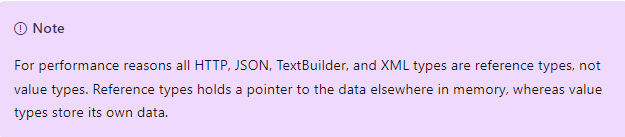
JSON types reference their value in memory, not the actual value. The below is snipped from https://docs.microsoft.com/en-us/dynamics365/business-central/dev-itpro/developer/methods-auto/jsonobject/jsonobject-data-type

Be careful making JSON types equal to one another. When you do that you copy the reference, not the value. This caught me out.

Example 1

I’m implementing an interface which accepts a JsonObject parameter expecting that you will assign a value which will be used later on. The interface doesn’t require that the JsonObject is passed with var. In fact, it requires that it isn’t. If you include var the compiler will complain that you haven’t implemented all of the interface methods. Something like the JsonExample action in the below code.

“That’s never going to work, the parameter needs to be passed with var” I thought. Better still, just have method return a JsonObject type. However, the interface probably pre-dates complex return types so we’ll let that go. Although, I think you could still return JSON types even before complex return types were introduced…but let it go.

pageextension 50100 "Customer List" extends "Customer List"
{
    actions
    {
        addlast(processing)
        {
            action(JsonExample)
            {
                ApplicationArea = All;

                trigger OnAction()
                var
                    JsonExample: Codeunit "Json Example";
                    Object: JsonObject;
                    Result: Text;
                begin
                    JsonExample.CalcJson(Object);
                    Object.WriteTo(Result);
                    Message(Result);
                end;
            }
            action(JsonExample2)
            {
                ApplicationArea = All;

                trigger OnAction()
                var
                    JsonExample: Codeunit "Json Example";
                    Object: JsonObject;
                    Result: Text;
                begin
                    JsonExample.CalcJson2(Object);
                    Object.WriteTo(Result);
                    Message(Result);
                end;
            }
            action(JsonExample3)
            {
                ApplicationArea = All;

                trigger OnAction()
                var
                    JsonExample: Codeunit "Json Example";
                    Object: JsonObject;
                    Result: Text;
                begin
                    JsonExample.CalcJson3(Object);
                    Object.WriteTo(Result);
                    Message(Result);
                end;
            }
        }
    }
}

codeunit 50100 "Json Example"
{
    procedure CalcJson(Object: JsonObject)
    begin
        Object.Add('aKindOf', 'magic');
    end;

    procedure CalcJson2(Object: JsonObject)
    var
        CalcJson: Codeunit "Calc. Json";
    begin
        Object := CalcJson.CalcJson();
    end;

    procedure CalcJson3(Object: JsonObject)
    var
        CalcJson: Codeunit "Calc. Json";
        JSON: Text;
    begin
        CalcJson.CalcJson().WriteTo(JSON);
        Object.ReadFrom(JSON);
    end;
}

codeunit 50101 "Calc. Json"
{
    procedure CalcJson() Result: JsonObject
    var
        Boys: JsonObject;
    begin
        Boys.Add('backInTown', true);
        Result.Add('boys', Boys);
    end;
}

I was surprised that it did work. Call JsonExample and you get:

{"aKindOf":"magic"}

That’s because even without the var keyword the JsonObject variable holds a refence to the object rather than the value itself, so it still exists after CalcJson() has finished executing.

Example 2

OK, great. I went on to create a separate codeunit to handle the creation of the JsonObject. I wanted to add some error handling and separate the boilerplate of the interface implementation from the business logic.

I wrote something like CalcJson2(). My tests started failing. It seemed that the JsonObject was empty. That puzzled me for a while. What had I done wrong? I think this is the problem.

  1. The JsonObject referenced by the Result variable in codeunit 50101 is created and has the properties added
  2. This reference goes out of scope once CalcJson has finished executing and its value is lost/garbage collected/however it works in Business Central
  3. The JsonObject referenced by the Object parameter is made equal to the first i.e. now points to the first JsonObject in memory – but that value has already gone
  4. As the result the second JsonObject is empty when it is handed back to the calling code

Example 3

Instead of making the JSON types equal to one another explicitly copy the value of one to the other. Like this:

procedure CalcJson3(Object: JsonObject)
var
    CalcJson: Codeunit "Calc. Json";
    JSON: Text;
begin
    CalcJson.CalcJson().WriteTo(JSON);
    Object.ReadFrom(JSON);
end;

In this case writing the value of one to text and then reading it back in to the other. It looks a bit weird, but it works. JsonObject also has a Clone method.

Tip: Install all Apps in a Folder to a Container

Intro

I do this fairly often to prep a new (local) container for development. The script needs to be run on the Docker host and assumes that the PowerShell prompt is already at the folder containing the apps (or apps in child folders) you want to install.

Use the dev endpoint if you are going to want to publish the same apps from VS Code into the container. Or publish into the global scope if you prefer – maybe if you are creating an environment for testing.

Publishing to Dev Scope Using Dev Endpoint

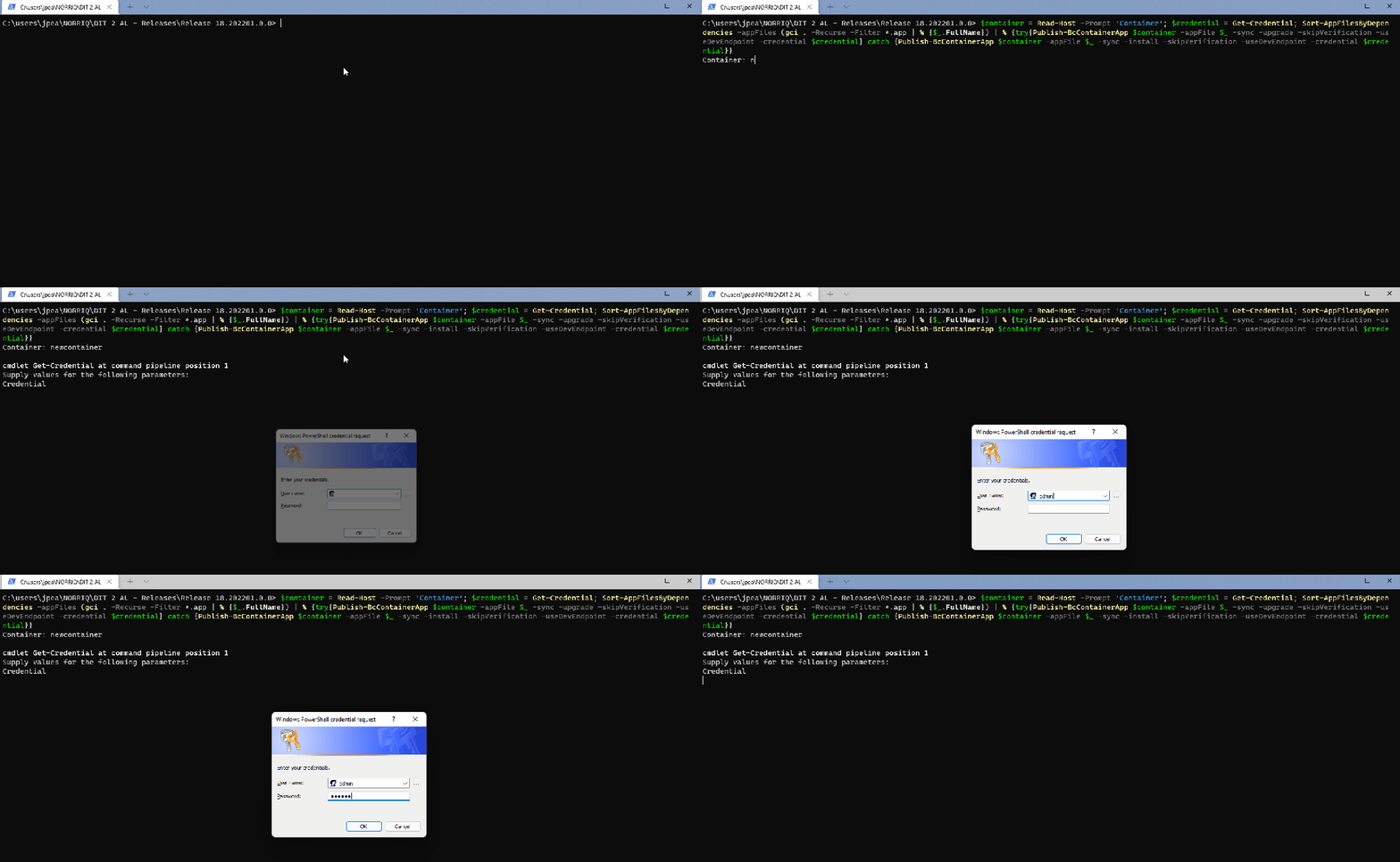
$container = Read-Host -Prompt 'Container'; $credential = Get-Credential; Sort-AppFilesByDependencies -appFiles (gci . -Recurse -Filter *.app | % {$_.FullName}) | % {try{Publish-BcContainerApp $container -appFile $_ -sync -upgrade -skipVerification -useDevEndpoint -credential $credential} catch {Publish-BcContainerApp $container -appFile $_ -sync -install -skipVerification -useDevEndpoint -credential $credential}}

Publishing to Global Scope

$container = Read-Host -Prompt 'Container'; Sort-AppFilesByDependencies -appFiles (gci . -Recurse -Filter *.app | % {$_.FullName}) | % {try{Publish-BcContainerApp $container -appFile $_ -sync -upgrade -skipVerification} catch {Publish-BcContainerApp $container -appFile $_ -sync -install -skipVerification}}

Tip: Get Current Callstack with a Collectible Error

The Code

codeunit 50104 "Get Callstack"
{
    SingleInstance = true;

    [ErrorBehavior(ErrorBehavior::Collect)]
    procedure GetCallstack() Callstack: Text
    var
        LF: Char;
    begin
        LF := 10;
        Error(ErrorInfo.Create('', true));
        Callstack := GetCollectedErrors(true).Get(1).Callstack;
        exit(Callstack.Substring(Callstack.IndexOf(Format(LF)) + 1));
    end;
}

Yea, but…why?

I dunno, I was just curious whether it was possible. And, it is 🧐 Any sensible applications are probably going to be do with error handling or reporting.

You may be tempted to have your code respond differently depending on the context in which it has been called and read the callstack for that purpose. That’s not a train you want to ride though. I’ve tried, it stops at some pretty weird stations.

One advantage of this approach over using a TryFunction (as below) is that the debugger doesn’t break on collectible errors. It can sometimes be frustrating stepping through errors that are always caught to get to the code that you actually want to debug.

procedure LessGoodGetCallstack(): Text
begin
    ThrowError();
    exit(GetLastErrorCallstack());
end;

[TryFunction]
procedure ThrowError()
begin
    Error('');
end;